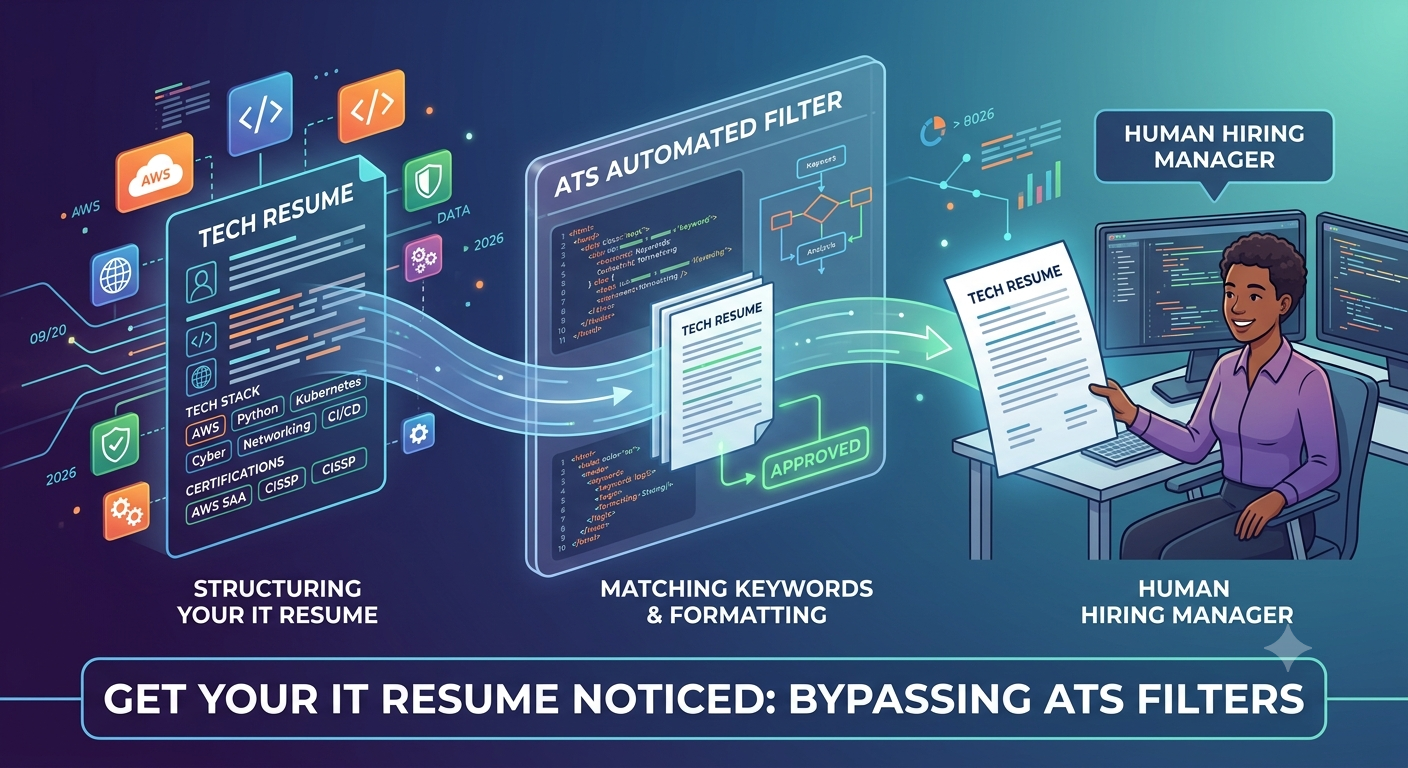
How to Build an IT Resume That Bypasses ATS Filters
Sponsored
You want a detailed, plain-text version of "Beat the Bots" with clear, aligned guidance. Below is an expanded, practical guide you can paste into a document or use to rework your resume.
Beat the Bots
You can hold top credentials, but if your resume isn’t optimized for Applicant Tracking Systems (ATS), recruiters may never see it. Treat ATS optimization as a technical step in your job-search pipeline: measure, iterate, and test.
Keep the formatting simple
Use a single-column layout. ATS parse left-to-right, top-to-bottom; multi-column or magazine-style designs often scramble content.
Choose standard fonts: Arial, Calibri, or Times New Roman. Use 10–12 pt for body text and 12–14 pt for headings.
Avoid images, icons, logos, text boxes, tables, and headers/footers for critical content. Many parsers ignore or drop text inside them.
Use standard section headings: Summary, Certifications, Skills, Experience, Education, Projects. Don’t invent creative headings that ATS may not match.
Save and submit as a clean PDF or a .docx. Some older ATS handle .docx better; others accept PDFs. When in doubt, use the format requested in the job posting.
Keyword optimization (but don’t keyword-stuff)
Mirror the job description exactly for key technical terms. If the JD uses "Active Directory," use that phrase rather than similar alternatives like "user management."
Use both acronyms and full names: "AWS (Amazon Web Services)," "CI/CD," "Infrastructure as Code (IaC)". ATS look for either form.
Place keywords naturally across these sections: Summary, Skills, Experience bullet points, and Projects. Don’t hide them only in a skills cloud.
Prioritize role-specific tools and concepts (e.g., Terraform, Kubernetes, VPC, IAM, SAML) over generic buzzwords. Recruiters care about applied skills.
Validate with a keyword-check tool: paste the job description and your resume into a simple text-diff or keyword-frequency tool to see coverage gaps.
Highlight certifications early
Create a Certifications section directly below your professional summary. List the full certification name, vendor, and month/year. Example: "AWS Certified Solutions Architect — Associate, Amazon Web Services, May 2025."
If certifications are current and required by the role, include them in your summary as well. Example: "AWS-CSA (2025), Terraform Associate — experienced in IaC."
For vendor-specific or regulatory certs (DoD 8570, CISSP, CISM), add the credential ID or expiry date only if the application requests it.
Structure experience for ATS and humans
Use reverse chronological order. Start with job title, company, location, and dates (month/year). Keep dates consistent and machine-readable.
Lead with impact: begin each bullet with an action verb and quantify results where possible. Example: "Designed and deployed a multi-AZ VPC reducing downtime risk by 40%."
Include relevant keywords in bullets that describe tools, platforms, and responsibilities. Example: "Managed AWS IAM policies, S3 lifecycle rules, and automated deployments using Terraform and GitHub Actions."
Keep bullet length to one or two lines. Long paragraphs may be truncated by some parsers and are harder for hiring managers to scan.
Skills section best practices
Use a concise, categorized skills list: Cloud: AWS, Azure; DevOps: Terraform, Docker, GitHub Actions; Security: IAM, WAF, SIEM (Splunk).
Limit to 12–20 high-value skills. Overloading with dozens of low-relevance items dilutes focus and flags keyword-stuffing.
Put the most relevant skills first based on each job you apply to.
Projects and portfolio links
Include a Projects or Selected Projects section for portfolio work. Put the project title, technologies used, and a one-sentence outcome. Example: "Cloud Resume Challenge — S3, CloudFront, API Gateway, Lambda, DynamoDB; implemented visitor tracking and automated CI/CD."
Provide simple URLs to GitHub, personal site, or portfolio. Use full links (https://...) so ATS can parse them. Avoid shortened links.
If a code sample is private, note "code available upon request" and include a short demo or screenshot on your portfolio site (not in the resume).
Optimize for both ATS scoring and recruiter readability
Keep a human-first section at the top: a 2–3 line summary highlighting your role, core tech stack, and what you offer. This helps recruiters who bypass ATS filters.
Use bullets and whitespace to improve scanability. Humans will read the top third of your resume first. Make it count.
Keep total resume length appropriate: 1 page for early-career, up to 2 pages for extensive experience. ATS don’t penalize length, but recruiters prefer focused content.
Test and iterate
Convert your resume to plain text and review it. Plain-text rendering shows what ATS likely reads. Fix broken lines, missing headings, or concatenated sections.
Use free ATS-check tools (Jobscan or similar) to compare your resume against target job descriptions and get a match percentage. Treat this as one signal, not the sole truth.
Maintain tailored versions: for each job family (cloud engineer, devops, security), keep a base resume and produce a tailored variant that emphasizes the most relevant 8–12 keywords.
Avoid pitfalls
Don’t embed critical info in images or graphics. ATS will skip it.
Don’t use headers/footers for contact info. Some parsers ignore headers/footers and your contact details may be lost.
Don’t lie about certifications or skills. Automated reference checks and test assignments reveal false claims quickly.
Bonus: Applicant tracking-friendly contact info and metadata
Put your name and contact info at the top as plain text (Name, city/state, phone, email, LinkedIn URL). ATS sometimes parse location to match local candidates.
If the job requires eligibility or legal status, include it briefly: e.g., "Eligible to work in India (no sponsorship required)." Only include what’s relevant and true.
Example top section (plain text format)
Brightcrest — Cloud Engineer
Chennai, Tamil Nadu, India | +91-XXXXXXXXXX | email@example.com | https://linkedin.com/in/yourprofile | https://github.com/yourhandle
Professional Summary
Cloud Engineer with 3+ years experience designing and automating AWS infrastructure using Terraform and GitHub Actions. AWS Certified Solutions Architect — Associate (2025). Skilled in VPC architecture, IAM, and cost optimization.
Certifications
AWS Certified Solutions Architect — Associate, Amazon Web Services, May 2025
CompTIA Network+, CompTIA, Jan 2024
Final notes
Treat your resume like code: version it, test it, and iterate based on feedback.
Automate small parts of the process: keep a master resume and scripts/snippets to quickly generate tailored versions.
Pair ATS optimization with networking: even a perfect ATS score benefits from referrals and outreach.
Would you like me to:
produce a clean, ATS-optimized .docx template with your details filled in, or
generate two tailored resume versions (Cloud Engineer and DevOps) using your experience?
Advertisement
This roadmap is exactly what I needed. Quick question: How heavily does the exam focus on hybrid networking configurations compared to last year?
Great question, Alex! The latest iterations have slightly increased the weighting on hybrid connectivity. Make sure you review those architectures thoroughly.